
Effective 9/1/2026
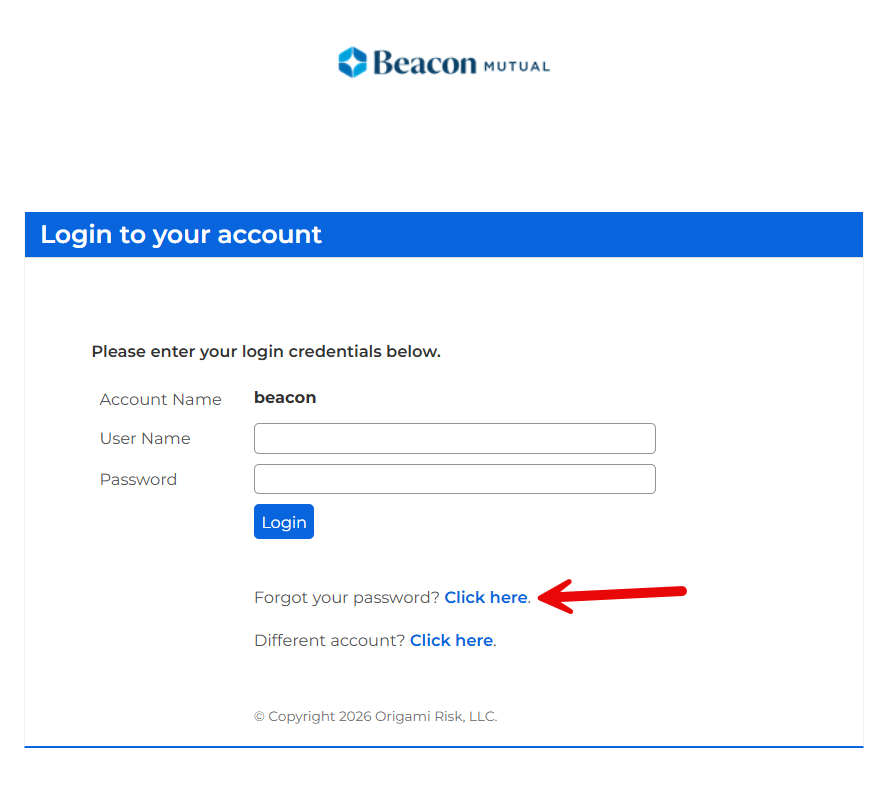
Online portal users can reset their password using the self-service option on the portal login page.
Forgot Your Password
- Navigate to the portal login page.
- Select Forgot your password?
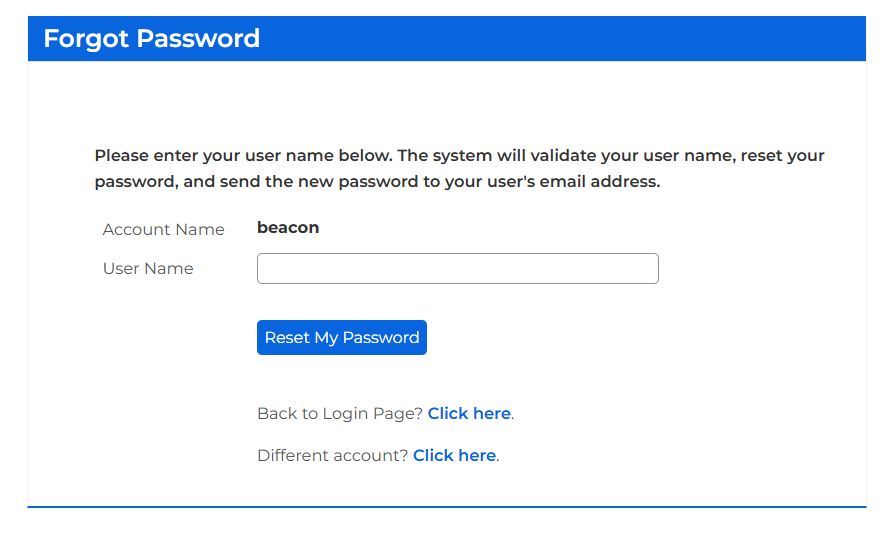
- Enter your username. (Hint: This is your email address.)
- Select Reset My Password.
- Check your email for the reset notification.
- Select the password reset link.
- Create a new password.
- Sign in with your new credentials.
Important
Password reset links remain valid for 30 minutes. After expiration, you'll need to request another reset email.
FAQs
I know my username but forgot my password. Use the Forgot Password feature.
I forgot both my username and password. Contact your company's portal administrator. They can locate your username and initiate a password reset. Alternatively, you can contact the Beacon Support Center and verify yourself as an authorized user.