
As an agent, you can obtain a loss run in the online portal.
-
Log into the online portal at www.beaconmutual.com
-
Click Reports in the main menu.
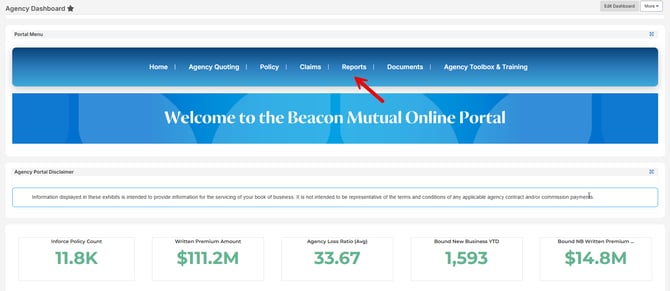
-
Click the report for which you want to generate.
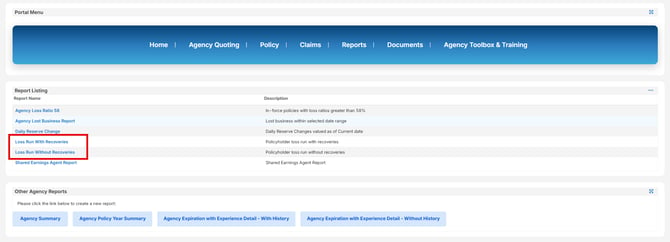
-
Select the Insured. As an agent, you have access to more than one Insured through the Online Portal. You can change the Insured Option to "is equal to" and then click the Lookup icon to browse your Insured accounts.
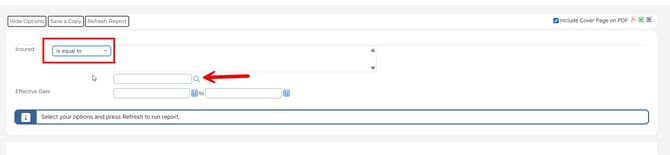
-
Click the checkmark to select the Insured and click "Done Selecting".

-
Select the Effective Dates

- Click Refresh Report
- When the Report Generates, you can Download as an PDF, Word Doc, or Excel.
Not an agent? Read more about how policyholders can obtain loss runs and other policy documents like Loss Prevention Documents from the online portal or by contacting their agent.